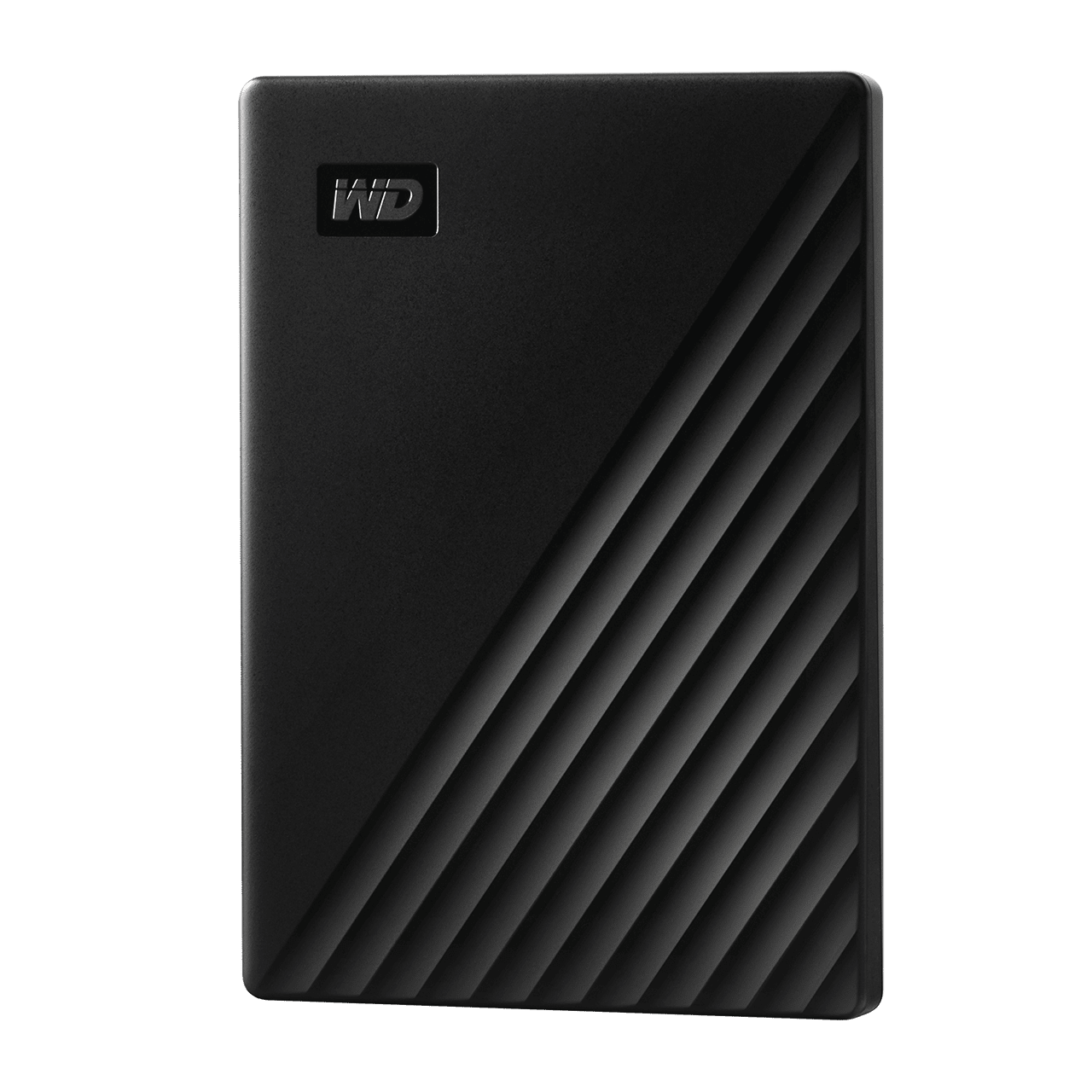
Desktop 3.5-inch Hard Drives
WD Green

Capacity:
500 GB - 3 TB
Interface:
SATA 6 Gb/s

Cool and quiet.
WD GreenPower Technology yields lower operating temperatures for increased reliability and low acoustics perfect for ultra-quiet PCs and external drives.

Reduced power consumption.
Best-in-class power management technology delivers significant power savings and solid performance.

Eco-conscious.
WD Green drives are innovatively designed and manufactured with lead-free, conflict-free and halogen-free materials to help ensure a sustainable future.

Did you know...
It's easy to install an internal hard drive in your computer.
Here's how
WD’s commitment to sustainability.
WD's green initiative goes even further beyond the product level, focusing on recycling and improving the cleanliness of the air, water and land.
Leading the way to green hard drives.
WD led the industry in creating a new category of hard drives that use less power and helps to reduce the world's energy demands one computer user at a time. With over 100 million WD Green drives sold* customers using WD Green drives have saved the planet over 466 million kwh of power – nearly equaling the annual power production of a single coal power plant!
*Data reflects approximate drives sold as of June 2012.
Halogen free.
In addition to being RoHS compliant, all WD Green drives are lead and halogen free, resulting in less pollutants getting into our environment.
Reduced rare earths dependency.
WD’s next-generation WD Green hard drives are built using less rare earth minerals.
Conflict-free materials.
As a leader in hard drive manufacturing, WD proudly guarantees our hard drives are built with 100% conflict-free raw materials.
IntelliSeek.
Calculates optimum seek speeds to lower power consumption, noise and vibration.
NoTouch Ramp Load technology.
The recording head never touches the disk media ensuring significantly less wear to the recording head and media as well as better drive protection in transit.
Upgrading your drive is easy.
WD Acronis True Image, available as a free download on the WD Support website, enables you to copy all your data to a new drive so you don't have to reinstall your operating system to get all the benefits of a new drive.
The WD advantage.
WD puts our products through extensive Functional Integrity Testing (F.I.T) prior to any product launch. This testing ensures our products consistently meet the highest quality and reliability standards of the WD brand. WD also has a detailed Knowledge Base with more than 1,000 helpful articles as well as helpful software and utilities. Our customer support lines have longer operational hours to ensure you get the help you need when you need it. Our toll-free customer support lines are here to help or you can access our WD Support site for additional details.
Recommended use.
WD Green hard drives are tested and recommended for use in PCs as secondary storage, external enclosures and other applications that require cool and quiet operation.*

*Desktop drives are not recommended for use in RAID environments, please consider using WD Red hard drives for home and small office 1-5 bay NAS systems and WD Enterprise hard drives for rackmount and >5 bay NAS systems.


More products. More options. More solutions. More you.

Your digital life is unique and you need a family of internal hard drives that are as individual as you are.
WD offers more than a one-size-fits-all hard drive. WD offers you choice. And that’s a powerful thing.


Desktop
Mobile
WD Blue

Solid performance and reliability for everyday computing.

WD Blue hard drives deliver solid performance and reliability for desktops PCs, external enclosures and for certain industrial applications.


Desktop
Mobile
WD Green

Cool, quiet operation for efficient eco-conscious computing.

WD Green hard drives are designed for use as secondary drives in PCs, for external enclosures and other applications for which low noise and low heat are beneficial.


Desktop
Mobile
WD Black

Maximum performance for
power computing.

WD Black hard drives are designed for enthusiasts and creative professionals looking for leading-edge performance.


NAS
WD Red

The new color of NAS.

WD Red hard drives are designed and tested for compatibility in the unique 24x7 operating environment and demanding system requirements of home and small office NAS.

Not sure which WD drive is right for you?  Use our product selector to help you choose.


Advanced Format Hard Drive Download Utility
About Western Digital Advanced Format Hard Drives


Download WD Align utility
Before you begin downloading please answer the following questions:

On which OS will you be running the Advanced Format hard drive?


Are you using a cloning utility?


Will this be the primary drive or a secondary drive in your system?


How many partitions do you intend to create on the drive?


WD Advanced Format drives are specifically optimized for Mac and the latest Windows operating systems such as Windows Vista and Windows 7 with a clean install. Advanced Format Technology is being adopted by WD and other drive manufacturers to increase media format efficiency, thus enabling larger drive capacities.

Using your WD Advanced Format Hard Drive with a Windows Operating System may require you to run the WD Align Windows software utility after you install your operating system or partition and format the drive as a secondary drive. The WD Align software aligns existing partitions on the Advanced Format drive to ensure it provides full performance for certain configurations. (Please see table for configuration details)

If your operating system is either Windows 7 or Vista, WD recommends using the latest Intel driver version 9.6 or later for maximum performance in all situations. Please visit Intel for the latest driver downloads.


What does Advanced Formatting mean to me?

Advanced formatting optimizes hard drives to take advantage of the capabilities of newer operating systems. This capability enables hard disk drive manufacturers the ability to design larger capacity hard drives, now and into the future.

What are the benefits of Advanced Formatting?

Advanced Formatting enables hard drive companies to read and write more data into the same available space on the hard drive.

Can I install an Advanced Format hard drive in my system?

New drives from WD are optimized for operation with Windows 7, Windows Vista and Mac OS X Tiger, Leopard, Snow Leopard. If you are attempting a clean install of an Advanced Format hard drive into a system running one of the Operating Systems listed above the installation process follows standard procedure. For older operating systems such as Windows XP, and for users using cloning software, users must run the WD Align utility to achieve the full performance of the drive. (See table for configuration details)

Early 3.5-inch WD drives with Advanced Format supported jumper pins 7 – 8. Placing a jumper on these pins adjusted the drive’s internal alignment for single partition XP installations. Support for this jumper setting is no longer needed on newer drives. For optimal performance on all XP installations WD recommends running the WD Align utility.

If you have a drive that supports jumper pins 7 – 8 and have a jumper in place on those pins, the following is additional information to assist you if you are re-installing an Operating System or re-partitioning the drive:

  • IMPORTANT: You must backup your drive before making any changes, including removal of the jumper.
  • Re-partition the drive: Turn off power to the drive and remove the jumper from pins 7 – 8. Power-on and re-partition the drive (NOTE: All previous data on the drive will be lost).
  • Preserve Current Partition: If you are installing an Operating System over the existing partition, keep the jumper on pins 7 – 8. The drive is already aligned to the existing partition so you do not need to remove the jumper.
  • If you change the setting of jumper 7 – 8, you will lose all previous data and the drive must be re-partitioned.

For a clean install of Windows XP using multiple partitions, DO NOT install the jumper; simply run the WD Align utility.

Can I install a WD Advanced Format Drive under non-Windows Operating Systems, such as MacOS and Linux?

WD Advanced Format Drives can be used under non-Windows Operating Systems. Please visit the Advanced Format Drives - Installation on non-Windows Operating Systems page.

Do I need a special driver to install a WD Advanced Format Drive on an Intel chipset?

If your operating system is either Windows 7 or Vista, we recommend the following for maximum performance in all situations:

What is WD Align utility software?

The WD Align utility enables older operating systems to operate at full performance on Advanced Format hard drives.

How long will running the WD Align utility take?

It will vary based on your operating system and how much data is on the disk, but the WD Align utility should take about 20 minutes to complete on freshly installed drive images with no data files. We recommend disabling Power Management prior to starting the partitioning alignment process. Please click here for further instructions.

Does the WD Align utility have to be run again if a drive is reformatted?

No, users will only need to run WD Align one time after initially installing Windows XP. Once Windows XP has been aligned, it will stay aligned even if the drive is reformatted or many files are added or removed.

Does WD Align work with Western Digital USB and Firewire drives, such as My Book and My Passport drives?

If you do not change the partitions on a Western Digital USB or Firewire drive, the drive is already optimally aligned. However, all Western Digital USB and Firewire drives are specifically designed to work with WD Align. If you repartition a Western Digital USB or Firewire drive, WD Align should be run to optimally align the partition or partitions.

Can I install my Advanced Format Drive into a USB enclosure?

Yes, you may install your Advanced Format Drive into a USB enclosure. Please click here for further installation instructions.


Large Capacity Drives

Meeting the technological challenges of 3 TB SATA hard drive implementation.

WD led the way in offering a massive 3 TBs of storage capacity on a single drive. In a typical PC configuration, a drive may be connected as a primary boot drive, or as a secondary drive. Large capacity drives are no different, however, it is important to verify your system can support a large capacity drive before attempting to install it.

When installed as a boot drive, put simply, the operating system boots off of the drive, (an operating system is required to start the computer). When installed as a secondary drive will solely be used to house data, (the drive will not contain an operating system). While newer systems are set up to handle large capacity drives, older legacy systems require updating and still may not support booting of older operating systems.

To understand if your system will support a hard drive with greater than 2.19 TB, consult your OS, Motherboard and USB bridge device solution providers from the list below before you attempt to install in your system.

System Requirements:

  • 3.5-inch internal drive bay


  • Desktop Applications

    Operating System support for drives with greater than 2.19 TB capacity. Learn more

    AV Applications

    Considerations for Audio-Video (AV) Devices Learn more

    AV products are diverse in their applications and the use of storage products. With WD now offering hard drives with massive capacity up to 3 TBs for AV applications it is important to verify whether specific AV products can support a large capacity drive before attempting installation.

    Most products that use storage have some type of operating system and system start up software that needs to take into account the size and the impact that size may have on the different layers of software contained within their products. Older systems using legacy operating systems and BIOSs that utilize the Master Boot Record (MBR) partition table scheme encounter a barrier at 2.19 TB.

    To understand if your specific AV product will support a hard drive with greater than 2.19 TB click here

    Motherboard Partners

    WD has partnered with motherboard and system solution providers that now offer system solutions supporting Large Drives. Please consult the solution provider for their solution availability and solution requirements. Refer to links below for details.

  • ASUS
  • GIGABYTE
  • INTEL
  • MSI
  • SUPERMICRO
  • External Applications

    USB bridge devices

    USB attached storage solution providers have solved many of the issues associated with Large Drives within the USB Bridge firmware. Some present large capacity drives as single drive using larger sector sizes while others present the large capacity drive as more than one or more smaller drives to the host. Please consult the solution provider for their solution availability and implementation details.

  • ASMedia Technology
  • Freescale Semiconductor
  • Fujitsu
  • Initio Corporation
  • JMicron Technology
  • Lucidport Technology
  • Silicon Image
  • Sunplus Technology
  • PLX Technology/Oxford Semiconductor
  • Skymedi Corporation
  • Symwave
  • Texas Instruments
  • VIA Technologies
  •  


    Click Model # for Full Specs.
     Model #InterfaceForm FactorRPMCapacityCache 
    WD30EZRXSATA 6 Gb/s3.5 InchIntelliPower64 MB3 TB64 MB
    WD20EZRXSATA 6 Gb/s3.5 InchIntelliPower64 MB2 TB64 MB
    WD20EARXSATA 6 Gb/s3.5 InchIntelliPower64 MB2 TB64 MB
    WD15EARXSATA 6 Gb/s3.5 InchIntelliPower64 MB1.5 TB64 MB
    WD10EZRXSATA 6 Gb/s3.5 InchIntelliPower64 MB1 TB64 MB
    WD10EARXSATA 6 Gb/s3.5 InchIntelliPower64 MB1 TB64 MB
    WD5000AZRXSATA 6 Gb/s3.5 InchIntelliPower64 MB500 GB64 MB

     
    Mouse over each icon to see how it was calculated.

    Examples of the number of photos, songs, videos and any other files that can be stored on a hard drive are provided for illustrative purposes only. Your results will vary based on file size and format, settings, features, software and other factors.

    As used for storage capacity, one megabyte (MB) = one million bytes, one gigabyte (GB) = one billion bytes, and one terabyte (TB) = one trillion bytes. Total accessible capacity varies depending on operating environment. As used for buffer or cache, one megabyte (MB) = 1,048,576 bytes. As used for transfer rate or interface, megabyte per second (MB/s) = one million bytes per second, megabit per second (Mb/s) = one million bits per second, and gigabit per second (Gb/s) = one billion bits per second.


    08-15-2012
    United States
    Hardware BBQ
    WD Red 2TB WD20ERFX SATA III Nas Storage Drive Review
    08-10-2012
    United States
    The Phoblographer
    First Impressions: Western Digital My Book Thunderbolt Duo 6TB
    08-02-2012
    United States
    Tom's Hardware.com
    Western Digital VelociRaptor WD1000DHTZ Review
    07-30-2012
    United States
    Small Net Builder
    Can WD's Red Drives Speed Up Your NAS?
    07-24-2012
    United States
    Tom's Hardware.com
    Western Digital Red:NAS-Specific SATA 6Gb/s Drives Reviewed
    07-24-2012
    United States
    Tom's Hardware.com
    Meet Western Digital's Red
    07-21-2012
    United States
    VR-Zone
    WD My Book Thunderbolt Duo 6TB and ASUS ThunderboltEX:High Speed Mass Storage on Windows
    07-10-2012
    Czech Republic
    pcnews.cz
    Testing available drives - WD Caviar Green
    05-21-2012
    United States
    Mac Life
    My Book Thunderbolt Duo & G-Raid with Thunderbolt Review
    05-13-2012
    United States
    Anandtech.com
    A Tale of Two Thunderbolt Storage Devices: Seagate's GoFlex Desk and Western Digital's Thunderbolt Duo
    04-25-2012
    United States
    Tom's Hardware.com
    Hitachi's 4 TB Hard Drives Take on The 3 TB Competition
    04-24-2012
    United States
    Mac World
    Western Digital My Book Thunderbolt Duo
    04-16-2012
    United States
    Hot Hardware
    WD VelociRaptor 1TB 10K RPM SATA III Hard Drive Review
    04-16-2012
    United States
    Bright Side of News
    Western Digital VelociRaptor 1TB -The New King of Hard Drives?
    12-04-2011
    Poland
    PCworld.pl
    Produkt Roku 2011
    09-22-2011
    United States
    Storage Review
    Western Digital My Book Studio Review(3TB)
    09-10-2011
    United States
    Anandtech.com
    Western Digital My Book Studio Edition II 6 TB Review
    09-08-2011
    United States
    Tom's Hardware.com
    Four 3 TB Hard Drives, Tested and Reviewed
    09-07-2011
    United States
    Hot Hardware
    3 TB Hard Drive Round-up: Hitachi, Seagate, WD
    07-16-2011
    United States
    TUAW
    Western Digital's 3TB My Book Studio Perfect for pre-Lion backups
    07-14-2011
    United States
    PC World
    Everything You Need to Know About 3TB Hard Drives


    2011 Technology Hero
    2012, China
    2011 the Editor's Recommendation Award
    2012, China
    WD VelociRaptor 1TB 10K RPM SATA III Hard Drive Review
    2012, United States
    WD Caviar Green WD10EZRX: 1 terabyte on a single plate
    2012, Russia
    3 TB Hard Drive Round-up: Hitachi, Seagate, WD
    2011, United States
    Produkt Roku 2011
    2011, Poland
    Western Digital Caviar Green 3TB Hard Drive Review
    2011, United States